

You are using an out of date browser. It may not display this or other websites correctly.
You should upgrade or use an alternative browser.
You should upgrade or use an alternative browser.

C64 Stream 1.1.0
- Author chrisgleissner
- Creation date
C64 Stream 1.1 is a substantial feature update focused on remote control, automation, keyboard input, and bringing C64 Stream’s CRT effects to more OBS sources.
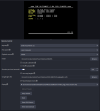
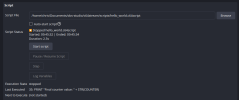
Remote Control and C64Script automation
- Control a C64 Ultimate directly from OBS.
- Play local folders, files stored on the C64 Ultimate, songs, programs, and disk images.
- Automate playback workflows, including HVSC song length support.
- Use reset controls from inside OBS.
- Added C64Script, a BASIC-inspired automation language for controlling C64 Stream and the C64 Ultimate.
Keyboard capture
- Added keyboard capture support for sending keyboard input to the C64 Ultimate.
- Keymaps are configurable, making it easier to adapt keyboard behaviour to different layouts and workflows.
- Keymap changes can be reloaded dynamically.
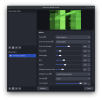
C64 Stream Effects filter
- Added the new standalone C64 Stream Effects filter.
- The same CRT effects engine used by the C64 Stream input source can now be applied to other OBS sources.
- This is useful for HDMI capture cards, emulators, media sources, image sources, and test patterns.
Improved reliability and maintainability
- Improved and modularized the automated E2E test infrastructure.
- Made AV sync testing more robust.
- Improved E2E test reliability across supported environments.
- Refactored build scripts, fixed the fuzz CI workflow, and improved internal code structure.
Attachments
C64 Stream 1.0 is a milestone release focused on improved CRT realism, configurability, and robustness.
CRT phosphor afterglow effect
Hot-switchable custom color profiles
- Afterglow simulates the persistence of phosphors on real CRT displays. Bright pixels fade gradually instead of disappearing instantly, causing moving objects to leave a subtle, time-decaying afterimage.
- Existing effect presets such as amber and green monitor now use this new effect to further improve realism.
- The afterglow effect is fully customizable in terms of duration and decay curve.
Properties export and import
- Supports standard VICE .vpl palette files.
- Color palettes can be switched live, without restarting OBS.
- You can use the same .vpl file in your C64 Ultimate and in C64 Stream for faithful and aligned color rendition.
Extended automated E2E testing
- Export and restore complete plugin configurations.
- Useful for backups, preset sharing, and reproducible setups.
- All visual effects are now covered by fully automated tests with extensive OBS video recording assertions, running as part of each GitHub build.
- Automated tests now also cover various Linux distributions.
Downloads and full release notes:
https://github.com/chrisgleissner/c64stream/releases
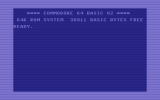
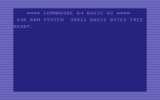
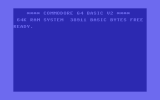
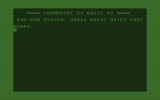
GPU-accelerated CRT retro effects with user-extensible presets
Granular recording control for capturing raw video, audio, frames, and network/plugin events
- Simulates look and feel of a traditional CRT monitor.
- Supports scan lines, pixel geometry, blur, bloom and tint.
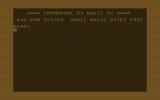
- See attached images for all default effect presets.
- Short video of the raster line effect: https://www.youtube.com/watch?v=QWOqHJwHt8s
Attachments


New Features in Release 0.7.1:
- Async video streaming to reduce CPU use and improve scrolling smoothness.
- Consistent delay buffer for audio and video streams.
- OBS and network log files using CSV format.
More details at https://github.com/chrisgleissner/c64stream/releases